





Aller au contenu
View in the app

A better way to browse. Learn more.

Forum Camel Design

A full-screen app on your home screen with push notifications, badges and more.

To install this app on iOS and iPadOS
  1. Tap the Share icon in Safari
  2. Scroll the menu and tap Add to Home Screen.
  3. Tap Add in the top-right corner.
To install this app on Android
  1. Tap the 3-dot menu (⋮) in the top-right corner of the browser.
  2. Tap Add to Home screen or Install app.
  3. Confirm by tapping Install.

Rejoindre la communauté !

Venez rejoindre notre communauté et partager avec elle vos passions ! 

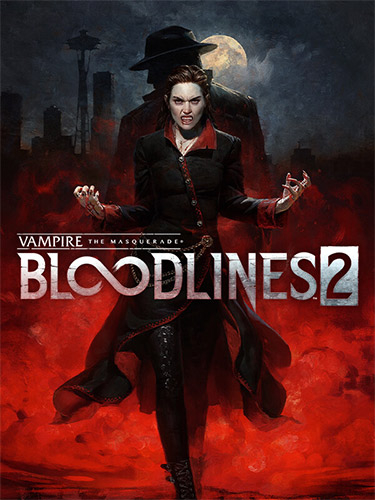
Vampire: The Masquerade – Bloodlines 2: Deluxe Edition, v46047 + 3 DLCs

(0 avis)

1 capture d’écran


Repack Features :

  • Based on Vampire.The.Masquerade.Bloodlines.2-RUNE ISO release: rune-vampire.the.masquerade.bloodlines.2.iso (22,506,700,800 bytes)
  • Game version: v46047; 3 DLCs (Bloodlines Nostalgia Jukebox, Santa Monica Memories, Shadows & Silk) are included and activated
  • Since Season Pass DLCs are not released yet, this repack is not Premium Edition, just like any other release out there
  • 100% Lossless & MD5 Perfect: all files are identical to originals after installation
  • NOTHING ripped, NOTHING re-encoded
  • Smaller archive size (compressed from 21 to 17 GB)
  • Installation takes from 15 minutes (on 16-threads CPU) up to 28 minutes (on 8-threads CPU)
  • After-install integrity check so you could make sure that everything installed properly
  • HDD space after installation: 24.6 GB
  • Language can be changed in game settings
  • Repack uses XTool library by Razor12911
  • At least 2 GB of free RAM (inc. virtual) required for installing this repack

Retour utilisateur

Vous pouvez donner un avis uniquement après avoir téléchargé le fichier.

Il n’y a aucun avis à afficher.

Account

Navigation

Rechercher

Rechercher

Configure browser push notifications

Chrome (Android)
  1. Tap the lock icon next to the address bar.
  2. Tap Permissions → Notifications.
  3. Adjust your preference.
Chrome (Desktop)
  1. Click the padlock icon in the address bar.
  2. Select Site settings.
  3. Find Notifications and adjust your preference.