





Plateforme : PC
Format : ISO
Langue(s) : MULTI
SOUS-TITRE : MULTI
Crack : RUNE
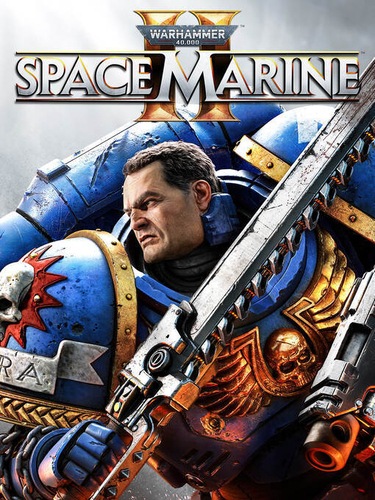
Devenez un Space Marine, véritable incarnation de puissance surhumaine. Massacrez les nuées tyranides grâce à vos talents mortels et à votre armement. Défendez l’Imperium seul ou à plusieurs au cœur de combats spectaculaires à la troisième personne.
Incarnez la puissance et la brutalité surhumaine d’un Space Marine. Déchaînez des capacités dévastatrices et un arsenal redoutable pour anéantir les impitoyables hordes de Tyranides dans des modes de jeu spectaculaires à la troisième personne - en solo ou en multijoueurs.
Minimum
Système d'exploitation : Windows 10/11 64-bit
Processeur : AMD Ryzen 5 2600X / Intel Core i5-8600K
Mémoire vive : 8 GB de mémoire
GPU : 6 GB VRAM, AMD Radeon RX 580 / Nvidia GeForce GTX 1060
DirectX : Version 12
Espace disque : 75 GB d'espace disque disponible
Notes supplémentaires : 30 FPS in 1920x1080 with "Low" preset. SSD required.
Recommandée
Système d'exploitation : Windows 10/11 64-bit
Processeur : AMD Ryzen 7 5800X / Intel Core i7-12700
Mémoire vive : 16 GB de mémoire
GPU : 8 GB VRAM, AMD Radeon RX 6800 XT / Nvidia GeForce RTX 3070
DirectX : Version 12
Espace disque : 75 GB d'espace disque disponible
Notes supplémentaires : 60 FPS in 1920x1080 with the "Ultra" preset. SSD required.
Installation
1) Monter l'ISO
2) Lancer l'installation
3) Jouer !
Vous pouvez donner un avis uniquement après avoir téléchargé le fichier.
Il n’y a aucun avis à afficher.