





Aller au contenu
View in the app

A better way to browse. Learn more.

Forum Camel Design

A full-screen app on your home screen with push notifications, badges and more.

To install this app on iOS and iPadOS
  1. Tap the Share icon in Safari
  2. Scroll the menu and tap Add to Home Screen.
  3. Tap Add in the top-right corner.
To install this app on Android
  1. Tap the 3-dot menu (⋮) in the top-right corner of the browser.
  2. Tap Add to Home screen or Install app.
  3. Confirm by tapping Install.

Rejoindre la communauté !

Venez rejoindre notre communauté et partager avec elle vos passions ! 

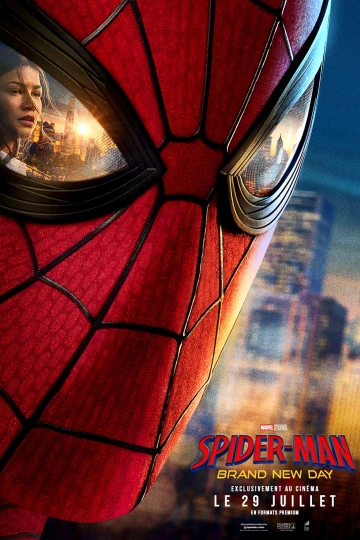
Spider-Man : Brand New Day

(0 avis)

1 capture d’écran

C’est un tout nouveau jour pour Peter Parker Dans un monde qui ne se souvient plus de lui, il poursuit sans relâche sa lutte contre la criminalité. Mais le sentiment d’avoir été oublié par ses amis qui avancent désormais sans lui provoque un changement chez Peter qu’il n’est peut-être pas en mesure de contrôler. Et pourtant, c’est cette mutation qui pourrait être sa seule chance de s’opposer à un adversaire terrifiant, capable d’agir sans jamais être repéré et prêt à s’attaquer à la ville et à tous les proches de Spider-Man. Car si le monde ne se souvient plus de Peter Parker, lui ne l’a pas oublié…

Date de sortie : 29 juillet 2026
Durée : 2h 25min
Genre : Action, Aventure, Fantastique, Science Fiction

De : Destin Daniel Cretton

Par : Chris McKenna, Erik Sommers

Avec : Tom Holland, Zendaya, Sadie Sink

Retour utilisateur

Vous pouvez donner un avis uniquement après avoir téléchargé le fichier.

Il n’y a aucun avis à afficher.

Account

Navigation

Rechercher

Rechercher

Configure browser push notifications

Chrome (Android)
  1. Tap the lock icon next to the address bar.
  2. Tap Permissions → Notifications.
  3. Adjust your preference.
Chrome (Desktop)
  1. Click the padlock icon in the address bar.
  2. Select Site settings.
  3. Find Notifications and adjust your preference.