





Aller au contenu
View in the app

A better way to browse. Learn more.

Forum Camel Design

A full-screen app on your home screen with push notifications, badges and more.

To install this app on iOS and iPadOS
  1. Tap the Share icon in Safari
  2. Scroll the menu and tap Add to Home Screen.
  3. Tap Add in the top-right corner.
To install this app on Android
  1. Tap the 3-dot menu (⋮) in the top-right corner of the browser.
  2. Tap Add to Home screen or Install app.
  3. Confirm by tapping Install.

Rejoindre la communauté !

Venez rejoindre notre communauté et partager avec elle vos passions ! 

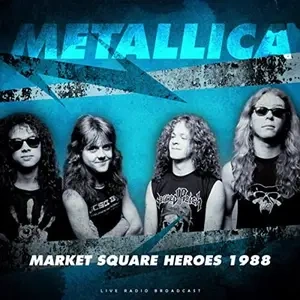
Metallica - Market Square Heroes 1988 - FLAC - 2020

(0 avis)

1 capture d’écran

01. Blackend (live)

02. For whom the bell tolls (live)

03. Welcome Home (Sanitarium) (live)

04. Leper Messiah (live)

05. Harvester of Sorrow (live)

06. Eye of the Beholder (live)

07. To Live is to Die (live)

08. Master of Puppets (live)

09. One (live)

10. Seek & Destroy (live)

11. …And Justice for All (live)

12. Creeping Death (live)

13. Fade To Black (live)

14. Battery (live)

15. Last Caress (live)

16. Am I Evil (live)

17. Whiplash (live)

Retour utilisateur

Vous pouvez donner un avis uniquement après avoir téléchargé le fichier.

Il n’y a aucun avis à afficher.

Account

Navigation

Rechercher

Rechercher

Configure browser push notifications

Chrome (Android)
  1. Tap the lock icon next to the address bar.
  2. Tap Permissions → Notifications.
  3. Adjust your preference.
Chrome (Desktop)
  1. Click the padlock icon in the address bar.
  2. Select Site settings.
  3. Find Notifications and adjust your preference.